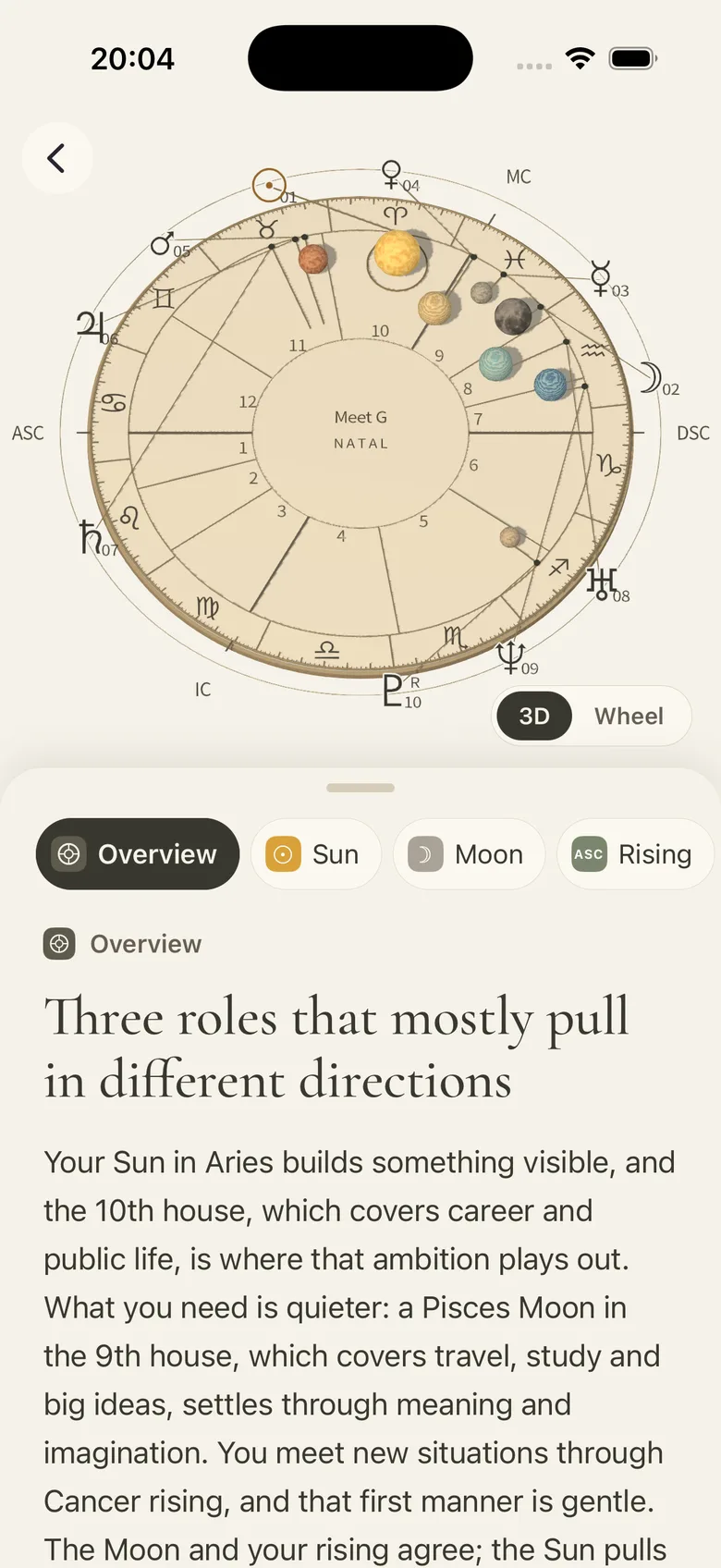
3D birth chart · Inside Meet G

Your chart. A new point of view.

There is more to a birth chart than a single sign. Turn your chart in 3D, switch to the wheel, and look at how its planets, signs and houses fit together.

Take a closer look
The English Meet G app showing a 3D birth chart and a personal reading
The birth chart view inside Meet G
01 / Two views

Turn your chart in 3D, or read it as a wheel.

02 / More than a sign

Explore planets, zodiac signs and houses together.

03 / Your birth details

Personal transits require a known birth time.

Using the app

Your first look around the chart

Sign in to the app and save your birth details, then start with one or two placements.

  1. Check your birth details

    Confirm the date, time and place. If you do not know the time, mark it as unknown. Houses, angles and the 3D view need an accurate time.

  2. Choose a view

    With complete birth details, use “3D” or “Wheel” to change the view. Look at the overall arrangement before choosing a placement.

  3. Read one placement

    Begin with “Overview”, then select a topic such as “Sun” or “Moon”. Identify the planet, sign and house before reading how the interpretation connects them.

In the screenshotThe Sun in this screenshot

The overview describes the Sun in Aries in the 10th house. Read that as three pieces of information: the Sun is the body being discussed, Aries is its sign, and the 10th is its house.

This is one person's chart. Your placements and reading depend on the birth details you save; switching between “3D” and “Wheel” changes the view.

Back to the app screenshot ↑

A closer look

One app.
Room to explore.

Visit the reading room

Start with your birth details

If your birth time is unknown, houses, angles and the 3D view are unavailable until you add an accurate time. The birth chart guide introduces the symbols you can explore along the way.

For the details, see what you can read without a birth time.

Look around, then look closer

The 3D view and wheel show the same chart. Use the reading room to look up unfamiliar terms; your personal chart and readings are available in the app.

A chart, with a little company

When a placement reminds you of a particular experience, you can discuss it with G. You can also bring a question to tarot, or explore another place with City.

Related reading

Where to go next